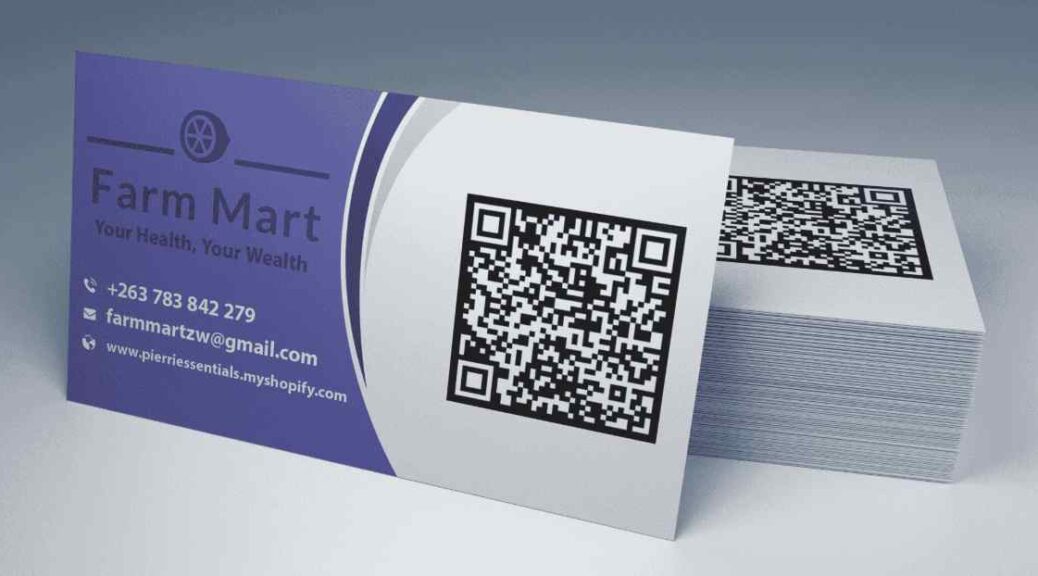
Designing Actionable Business Cards: Layout, Finish, and Information Architecture Strategies
In an increasingly digital professional ecosystem, the tactile exchange of a physical business card remains one of the most reliable ways to seal a newly formed connection. A well-designed card acts as a compact, offline landing page, conveying professional credibility, brand identity, and contact details in seconds. However, cluttered layouts, illegible typography, and flimsy paper stock can quickly turn a potential networking tool into trash.
Creating a memorable business card requires balancing visual hierarchy, paper weight, protective coatings, and clear contact options. Working with experienced print production teams like AlphaGraphics Charleston allows professionals to compare cardstock thickness, test spot-UV finishes, and choose soft-touch laminates that withstand daily handling inside wallets and cardholders.
Selecting Cardstock Weights and Materials
The weight and texture of a card create an immediate physical impression before the recipient even reads the text. Standard thickness is measured in “points” (pt), where 1 pt equals 0.001 inches.
+———————+——————————-+——————————-+
| Paper Weight | Feel & Durability | Ideal Use Case |
+———————+——————————-+——————————-+
| 14 pt Cardstock | Flexible, Standard Utility | Mass Handouts, Event Drops |
| 16 pt Cardstock | Firm, Premium Standard | Professional Business Use |
| 32 pt Tri-Layer | Rigid, Extra Heavyweight | Executive & Luxury Branding |
| Synthetic / Plastic | Waterproof, Tear-Resistant | Outdoor & Field Industries |
+———————+——————————-+——————————-+
Understanding Paper Finishes
- Uncoated Stock: Offers a natural, textured feel that is easy to write on with pens or pencils. Ideal for cards that double as appointment reminders or note slips.
- Matte Lamination: Delivers a smooth, glare-free finish that reduces finger smudges while protecting card edges from fraying.
- Gloss Coating: Enhances color contrast and image sharpness, making logos and colorful graphics pop off the page.
- Soft-Touch Velvet: Provides a unique, tactile suede-like feel that gives cards a high-end, premium touch.
Layout Rules and Information Hierarchy
A business card measures only 3.5 by 2.0 inches in standard formats. Every millimeter of space must be used intentionally to avoid visual clutter.
Essential Contact Elements
- Full Name & Current Title: Clearly identify who you are and what role you play in your organization.
- Primary Contact Method: Include one direct phone number and one clear email address rather than listing multiple secondary lines.
- Company Name & Logo: Anchor the design with a clean, recognizable visual mark on either side of the card.
- Digital Gateway: Add a short custom URL or a high-contrast QR code pointing directly to a portfolio, digital vCard, or scheduling page.
Margins, Bleed, and Safe Zones
During the cutting process, small mechanical shifts occur. Designing with proper safety margins prevents text from getting trimmed off along the edges.
- Bleed Area (3.625″ x 2.125″): Extend background colors and images past the final trim line to ensure no white edges appear after cutting.
- Trim Line (3.5″ x 2.0″): Represents the exact final dimension of the cut card.
- Safe Zone (3.25″ x 1.75″): Keep all essential text, logos, and contact details inside this interior box to prevent accidental edge trimming.
Integrating Digital Touchpoints
Modern business cards should bridge offline conversations and online follow-ups. Adding scannable elements lets contacts quickly save details directly to their phones.
- Dynamic QR Codes: Link codes to personalized vCard downloads that save contact details directly to a phone’s address book with a single tap.
- Portfolio Shortcuts: Provide direct links to case studies, video introductions, or scheduling calendars.
- Minimalist Aesthetics: Keep the front side clean with core contact info, using the back side for a QR code, brand tagline, or clean logo mark.